You need a mobile field service management app that keeps your technicians connected, jobs on schedule, and customer details at your fingertips. Choose an app that centralizes work orders, real-time location tracking, and service history so your team finishes more jobs accurately and faster.
This article breaks down the core features to look for—scheduling, dispatch, inventory, and on-site documentation—and explains the practical benefits you’ll gain, like fewer return visits, better ETA accuracy, and faster invoicing. Keep reading to compare the capabilities that matter for your operation and pick the solution that actually improves daily performance.
Key Features of Mobile Field Service Management Apps
These apps give you real-time control of schedules, precise technician location and routing, paperless work orders, and seamless data flow between field and office systems. Each capability reduces delays, lowers costs, and improves first-time fix rates when implemented correctly.
Real-Time Scheduling and Dispatch
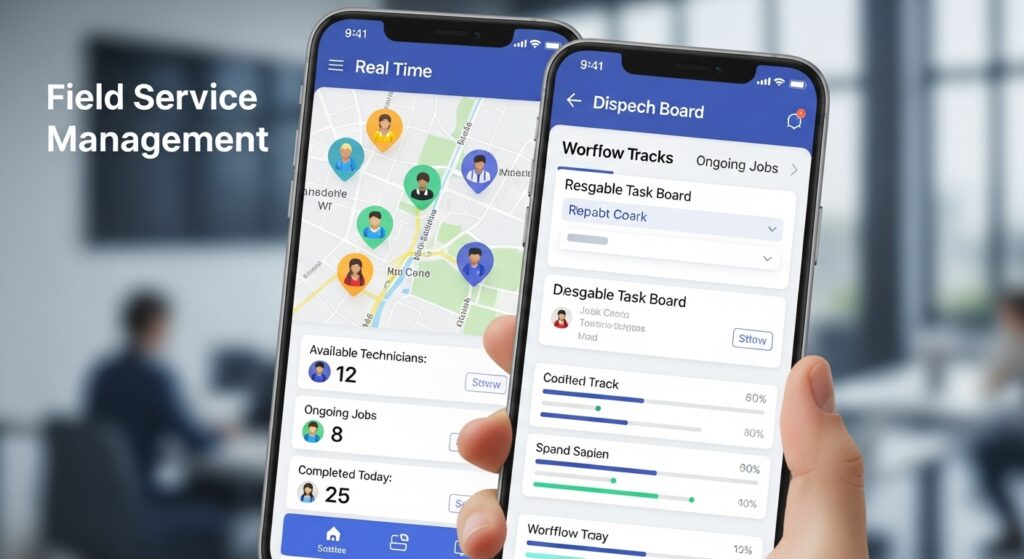
You get dynamic job assignment based on technician skills, certifications, current status, and travel time. The app updates schedules instantly when priorities change, so you avoid double-booking and long technician idle time.
Use visual dispatch boards and drag-and-drop scheduling to reassign tasks fast. Automated rules — for example, assign only technicians with HVAC certification or within a 30-minute drive — enforce consistency and compliance.
Push notifications alert technicians of changes and capture acknowledgements. That reduces missed jobs and customer call volume because everyone has the same, current plan.
GPS Tracking and Route Optimization
GPS gives you live technician location and status, enabling accurate ETAs for customers. You can show arrival windows and send location-based notifications to reduce “where is my tech?” calls.
Route optimization minimizes travel time and fuel costs by sequencing jobs logically and avoiding high-traffic segments. The system considers job duration, technician skillset, and traffic data to create efficient routes.
Use geo-fencing for automated check-ins and to validate on-site presence. Combine route data with timesheets to reconcile travel costs and measure utilization.
Mobile Work Order Management
Technicians create, update, and close work orders on their device without returning to the office. You can require digital signatures, attach photos, add parts used, and capture time and material entries in real time.
Built-in checklists and guided workflows enforce service standards and ensure consistent data capture. This reduces rework and improves billing accuracy because work records match the actual service performed.
Offline capability keeps technicians productive in low-connectivity areas. Changes sync automatically when the device reconnects, avoiding lost entries or duplicate efforts.
Integration With Existing Systems
You maintain a single source of truth by connecting the app to your ERP, CRM, parts inventory, and accounting systems. That prevents manual double-entry and speeds invoicing by pushing completed work orders directly into billing workflows.
APIs and prebuilt connectors let you sync customer history, warranty status, pricing, and SLA terms so dispatchers and technicians work from the same data. Real-time integration also updates inventory levels as parts are consumed in the field.
Plan for role-based access and data mapping during integration to protect sensitive information and keep workflows aligned across systems.
Benefits of Using Mobile Field Service Management Apps
Mobile field service apps reduce travel time, eliminate paperwork delays, improve first-time fix rates, and give you clear visibility into technician activity, customer interactions, and business performance.
Increased Workforce Productivity
You cut manual steps with mobile apps that push work orders, parts lists, and job histories directly to technicians’ devices.
Technicians use built-in checklists, photo capture, and signature collection to close jobs faster and with fewer return visits.
Schedule optimization and GPS-based dispatching assign the right technician to each job, reducing drive time and increasing billable hours.
Offline access lets technicians complete tasks in areas without connectivity and sync automatically when they reconnect, so you don’t lose time or data.
Automated time tracking and integrated inventory control reduce admin overhead on your back office.
That shortens invoicing cycles and ensures technicians spend more time on customer sites and less time on paperwork.
Enhanced Customer Experience
You create predictable service windows and give customers real-time technician ETAs through SMS or app notifications.
Technicians can view customer history, warranties, and past invoices on their device to deliver informed, personalized service.
Digital job notes, photos, and electronic signatures speed approval and payment processes at the point of service.
That reduces friction for customers and increases the likelihood of same-day resolution.
Post-visit surveys and automatic follow-ups capture feedback while the experience is fresh.
You can link that feedback to technician performance metrics to improve service quality and retention.
Streamlined Communication
You centralize communications between dispatch, field staff, and customers in one platform to eliminate fragmented emails and ad-hoc phone calls.
In-app messaging and push notifications deliver urgent updates—like part arrival or scope changes—directly to the technician.
Workflows can auto-escalate unresolved issues to supervisors, ensuring timely intervention.
Integrated calendars and route maps keep everyone aligned on priorities and minimize missed appointments.
APIs and cloud sync enable two-way communication with CRM and ERP systems so job status updates flow automatically across your business.
That reduces manual entry errors and keeps stakeholders informed without repetitive data transfers.
Comprehensive Reporting and Analytics
You gain real-time dashboards that show KPIs such as response time, first-time fix rate, utilization, and revenue per tech.
Filterable reports let you analyze performance by region, skillset, customer type, or equipment model.
Historical trend analysis reveals recurring failure points and parts usage, supporting predictive maintenance and inventory planning.
You can export data for financial analysis or feed it into BI tools to model capacity and forecast labor needs.
Automated compliance logs and audit trails document service records for warranty claims and regulatory requirements.
These records simplify dispute resolution and provide evidence-backed insights for continuous improvement.